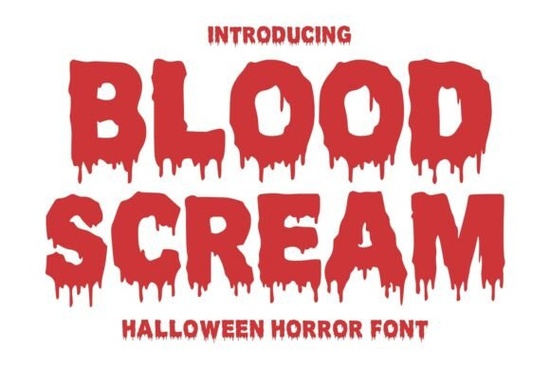
If you are working on a spooky project and need typography that looks like it just dripped off a haunted screen, the Blood Scream Font is exactly what you need. This decorative typeface brings a terrifying and dramatic atmosphere to any layout. It is heavily inspired by classic Halloween movies and bloody typography, making it a go-to choice for designers, crafters, and print-on-demand sellers looking to create authentic horror visuals.
What makes this dripping horror font stand out?
When you open the file, the first thing you will notice is the heavy, bold weight of the characters. Unlike standard distressed fonts that just look scratched or faded, this typeface features actual melting blood effects dripping from the letters. It captures that classic 1980s slasher movie vibe without looking overly cartoonish or messy. The letters are thick and highly readable, which is crucial when you are designing something that needs to be seen from a distance, like a large event poster or a storefront banner. The character set includes all the standard uppercase and lowercase letters, along with numbers and essential punctuation, giving you plenty of flexibility for your layouts.
Where can I use this scary typography in my projects?
You might be wondering how to actually apply this style to your client work, personal crafts, or shop listings. Because of its bold and legible nature, it works beautifully across a wide range of spooky mediums.
- Apparel and Merch: Print it on dark t-shirts, hoodies, or tote bags for a Halloween clothing line. It works exceptionally well for print-on-demand sellers targeting the fall season.
- Event Promotions: Use it for haunted house flyers, escape room branding, or Halloween party invitations.
- Digital Media: It makes a striking title card for a horror podcast, a YouTube thumbnail, or social media graphics for a seasonal sale.
- Crafting: If you use a cutting machine, the thick lines make it relatively easy to cut out of vinyl for mugs and tumblers.
If you are browsing for more options in the decorative fonts category, you will find that this specific style bridges the gap between vintage horror and modern readability.
How do I make the text look realistic on dark backgrounds?
A common mistake when using dripping text is placing it on a busy background, which completely hides the intricate details. To get the best results, keep your background simple and dark. Deep blacks, dark crimson reds, or muted grays work best to let the typography shine.
- Use a bright, contrasting color for the text itself, like stark white, neon green, or bright blood red.
- Add a subtle drop shadow to give the letters a 3D effect, making the dripping blood look like it is physically peeling off the page.
- If you are using it for a movie cover or book spine, try layering a faint texture, like scratched film or fog, behind the text to blend it naturally into the scene.
Is it easy to pair with other typefaces?
Display fonts with heavy effects can be tricky to pair, but the key is always contrast. Since the main title is so loud and detailed, your secondary text should be clean, simple, and unobtrusive.
- Pair it with a basic sans-serif for modern horror posters or minimalist Halloween invitations.
- Use a classic serif font for the body text if you are going for a vintage, gothic novel aesthetic.
- Keep the secondary text small and widely spaced to let the main dripping title take center stage without competing for attention.
Before you finalize your next spooky design, run through this quick checklist to ensure a professional result:
- Check readability: Zoom out on your canvas to ensure the dripping effects do not merge the letters together into an unreadable blob.
- Test the contrast: Make sure the text pops clearly against your chosen background color before exporting.
- Verify the license: Confirm your Creative Fabrica subscription covers the commercial use you need, especially for physical print-on-demand items.
- Save a backup: Outline your text in your design software before sending files to print or cutting to preserve the melting edges perfectly.
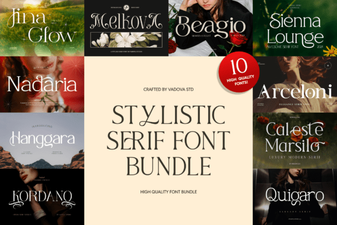 Stylistic Serifs for Creative Design Projects
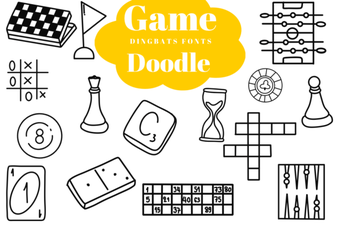 Creative Game Fonts for Doodle Designs & Logos
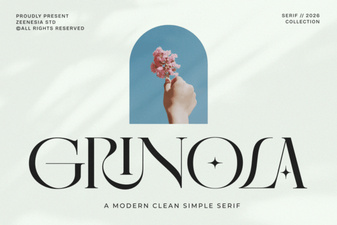 Grinola Font: a Modern Creative Typography Tool
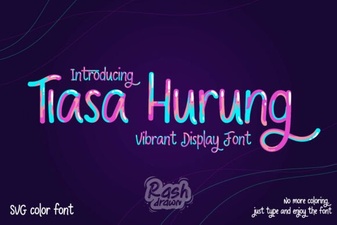 Tiasa Hurung Font: Design Value and Creative Use
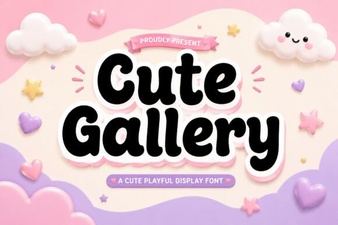 Cute Gallery Font for Unique Web Projects
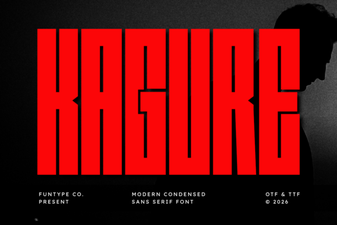 Kagure Font: Creative Design Ideas & Usability