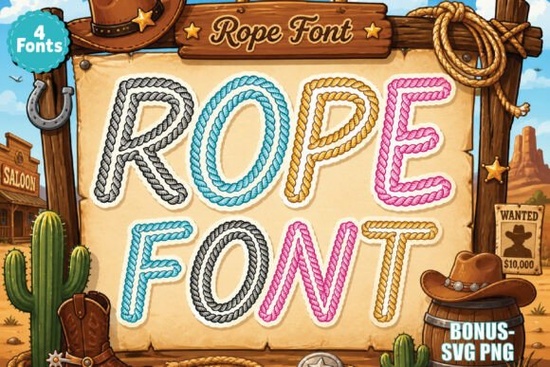
If you are looking to add a bold, rustic feel to your next crafting project, the Rope Font is a great choice. This script alphabet pack brings a stylish western touch to your designs, drawing inspiration from cowboy ropes, ranch life, and retro country signs. Whether you are creating custom t-shirts for a family reunion or designing branding for a local boutique, this typography gives your work an authentic, playful vibe.
What makes this western script font stand out?
The lettering features a unique rope-style texture that mimics actual braided cord. It is not just a standard cursive typeface; the thick, intertwined strokes give it a tactile, three-dimensional look. It captures the essence of the wild west while remaining highly legible for everyday use. This makes it highly effective for projects where you want the text to be the main focal point.
Crafters and print-on-demand sellers often look for typography that instantly communicates a specific theme. This alphabet works beautifully for:
- Western t-shirt designs for rodeo events or country music fans.
- Cowboy and cowgirl projects like baby shower invitations or birthday banners.
- Ranch and rodeo branding for small businesses in the agricultural sector.
- Sublimation projects such as mugs, tumblers, and wooden signs.
Will the colors show up in my design software?
One common question when downloading textured or multi-colored fonts is how they will render in your workspace. Due to system limitations on some preview platforms, the font preview might initially appear in black and white.
However, you do not need to worry about losing the design details. The font displays fully colored and textured in supported software. If you use Adobe Illustrator, Photoshop, Canva, or Figma, you will see the complete rope effect and colors right on your canvas. Always check your software's text rendering settings if the texture does not appear immediately.
How can I mix this with other styles for my crafts?
When designing country-themed crafts, pairing a bold script with complementary fonts creates a balanced layout. For instance, if you are making a patriotic Fourth of July western shirt, you might combine this rope lettering with the Patriotic Cross Stitch Font to add a stitched, rustic texture to your secondary text.
If you are working on a retro diner menu or a vintage country poster, mixing textures is key. You could use a smooth, rounded typeface like the Groovy Pencil Font for your body copy to keep the design readable while letting the main headline stand out. For projects that need a bit of extra flair, like custom name stickers or planner covers, adding the Sparkle Stripes Font as an accent can bring a fun, dynamic element to the overall composition.
Sometimes, a design calls for a more traditional, elegant script to contrast with the rugged rope style. In those cases, a beautiful calligraphy option like the Tiasa Hurung Font works perfectly for wedding invitations or formal event signage within a western theme.
What are the best practices for sublimation and SVG crafting?
When preparing your files for sublimation or cutting machines, keep these practical tips in mind to ensure the best results. Taking a few extra minutes to prepare your files correctly will save you from wasted materials and frustrated reprints:
- Convert to outlines: Always convert your text to curves or outlines before sending the file to your cutting machine. This prevents the machine from misreading the font if it is not installed on the system.
- Check the stroke thickness: Because the rope texture has a lot of detail, ensure your cut lines are thick enough for the blade to follow accurately without tearing the vinyl.
- Use high contrast: When placing this font on a busy background, add a solid drop shadow or a thick white stroke behind the text to keep it legible from a distance.
Quick Checklist Before You Export:
- Verify the font colors are rendering correctly in your specific design software.
- Ensure all text is converted to paths or outlines for cutting and sublimation files.
- Check that the rope texture is visible and not flattened when exporting your final PNG or SVG.
- Double-check that your color profile matches your printer or sublimation press requirements.
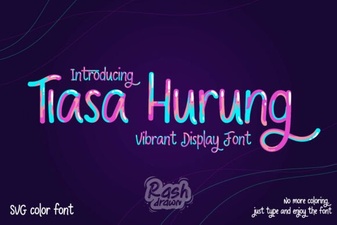 Tiasa Hurung Font: Design Value and Creative Use
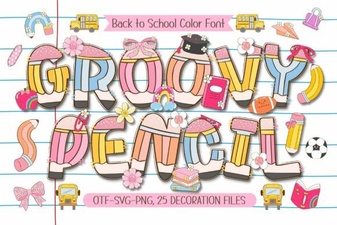 Groovy Pencil Font for Creative Projects and Ideas
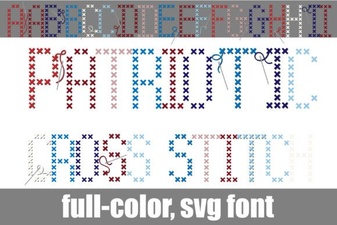 Crafting Patriotic Cross Stitch Lettering & Fonts
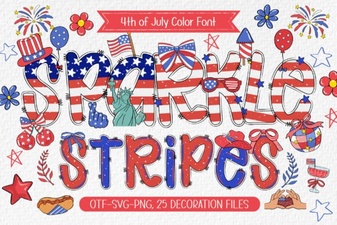 Sparkle Stripes Font: Designs & Download Guide
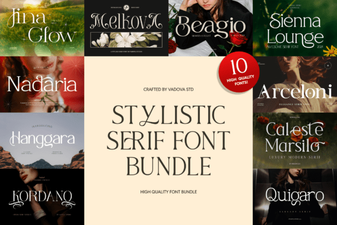 Stylistic Serifs for Creative Design Projects
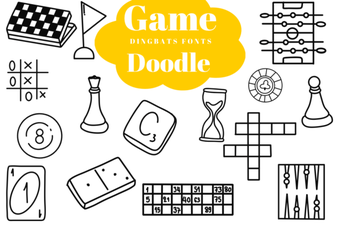 Creative Game Fonts for Doodle Designs & Logos